How to Build an AI Agent Team Without Writing Code
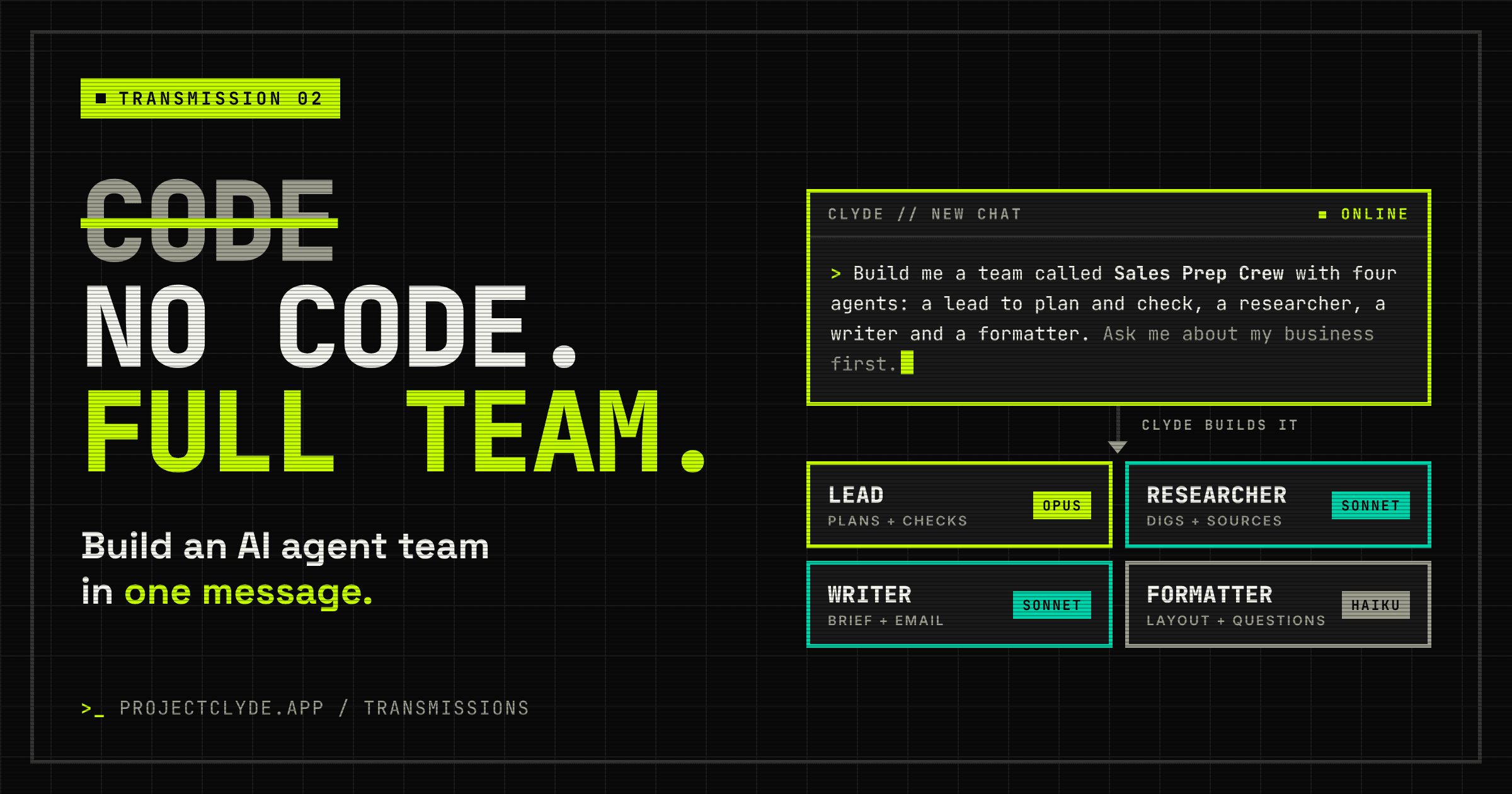
Short answer: pick one job you repeat every week, split it into roles (a lead, a researcher, a writer and so on), give each role its own AI agent with the right model and the right app connections, then let a lead agent hand the work between them. With a no-code agent builder like Clyde, you describe the team in plain English and it builds the agents for you. No code, no flowcharts.
I've built a lot of automations over the years (130+ live scenarios in Make alone), and I love them for jobs that follow the same path every time. But some jobs don't. Researching a prospect, writing a proposal, answering a tricky customer email: the steps change depending on what you find. That's exactly where an agent team shines.
What is an AI agent team?
An AI agent is a model with a job description, some memory and access to tools (search, your inbox, your CRM). An agent team is several of those working together, each one a specialist, with a lead agent who plans the work and passes it along.
Think of it as a small virtual department:
- The lead understands what you asked for, plans it and checks the finished work
- Specialists each do one part of the job really well
- Hand-offs happen automatically, so you only see the end result
Why not just one chatbot? Because one assistant doing everything hits a ceiling. Long jobs drift, context gets muddled, and you end up paying top-model prices for simple steps. Splitting the work fixes all three.
How to build your team in 6 steps
- Pick one job that repeats. Not "run my business". Something like "prep me for every sales call" or "turn each podcast episode into a blog post". If you do it weekly and it takes more than an hour, it's a great candidate.
- Write down how you'd do it yourself. List the steps in plain English. Where you'd switch hats (researching, then writing, then checking), that's where one agent hands over to the next.
- Turn each hat into an agent. Give each one a name, a one-line job description and what "done" looks like. Three to five agents is plenty for most jobs.
- Pick the right model for each role. Planning and checking go to a stronger model (like Claude Opus), the bulk of the writing and research to a mid-tier one (Sonnet), and quick sorting or formatting to a fast, cheap one (Haiku). I break this down properly in Claude Opus vs Sonnet vs Haiku.
- Connect the apps it needs. Agents get really useful when they can reach your actual tools: email, calendar, CRM, docs. Clyde connects to 1,000+ apps, so the researcher can read your CRM notes and the writer can draft straight into Gmail.
- Run it, check it, then schedule it. Run the team a few times and tweak the job descriptions where the output isn't right. Once you trust it, put it on a schedule so it runs without you asking.
In Clyde, steps 3 to 5 happen in one go: you describe the team in a single message and the lead agent creates it. There's a ready-made prompt for that below.
When you don't need an agent team
Honest bit. If a job follows exactly the same path every time (a form comes in, a row goes into a sheet, an email goes out), a classic automation in Make or Zapier is cheaper, faster and more predictable. I use both. Agents earn their keep when the job needs judgement: reading, deciding, writing.
The other limit to know about: agents can make mistakes. Keep a human check on anything that goes out to customers until you've seen the team get it right consistently.
Try it: the Sales Prep Crew
FAQ
What is a no-code AI agent builder?
It's a tool that lets you create AI agents (and teams of agents) by describing what you want in plain English, rather than writing code or wiring up flowcharts. You set the job, the model and the app connections, and the builder handles the rest.
Do I need to know how to code to build AI agents?
No. With a no-code builder like Clyde you describe the team in a message and it creates the agents. Developers can still self-host Clyde from GitHub and extend it if they want to.
How many agents should a team have?
Start with three to five: a lead plus two to four specialists. More agents means more hand-offs and more cost, so only add one when there's a clearly separate job for it.
What's the difference between an AI agent team and an automation in Make or Zapier?
Automations follow a fixed path every time, which makes them perfect for predictable jobs. Agents decide what to do based on what they find, which suits research, writing and judgement calls. Lots of businesses use both together.
How much does it cost to run an AI agent team?
It depends on the models and how much text each agent handles. Mixing models (a strong lead, cheaper specialists) keeps it down.
Can AI agents use my existing apps?
Yes. Clyde connects to 1,000+ apps, so agents can read and act in the tools you already use.
Over to you
What's the one job you'd hand to an agent team first? I'd love to hear what you'd build.
Noel Tovey-Grindlay is the founder of Clyde. 20+ years in engineering, Make Level 4 Advanced certified with 130+ live automations, now building multi-agent AI for small businesses.
Sources
- Model pricing referenced via Claude Opus vs Sonnet vs Haiku (Anthropic models overview)